PROOFING & APPROVALS
"I never approved that."
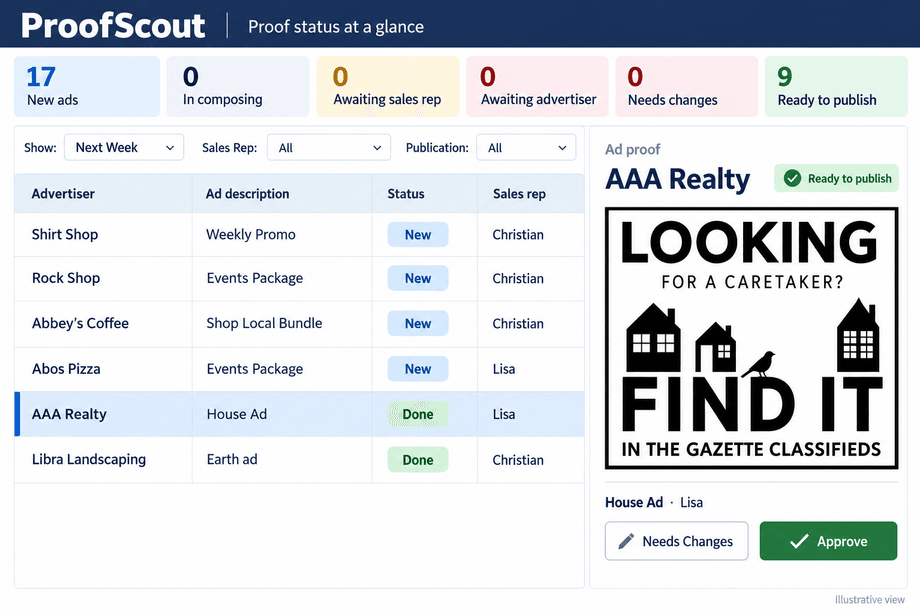
ProofScout sends proofs to the advertiser, collects the approval or the changes, and keeps a record of who signed off and when — so that sentence stops costing you a make-good.
THE PROBLEM
The one step with real money attached runs on email.
Proof approval is the one step in the process with real money attached to it, and at most publications it runs entirely on email. A PDF goes out. Maybe a reply comes back. Maybe it says "looks good" and maybe it says "looks good, just fix the phone number" — and maybe that reply lands in a rep's inbox on a Friday afternoon and is never seen again.
The ad runs with the wrong phone number. The advertiser says they caught it. The rep says they never heard. Nobody can produce the thread, so the paper eats the cost, and everyone agrees somebody should really keep better track of this.
The deadline pressure makes it worse. On the last day before press, the person chasing approvals is usually the same person doing the pagination.
THE ADVERTISER'S SIDE
Where the approval actually comes from.
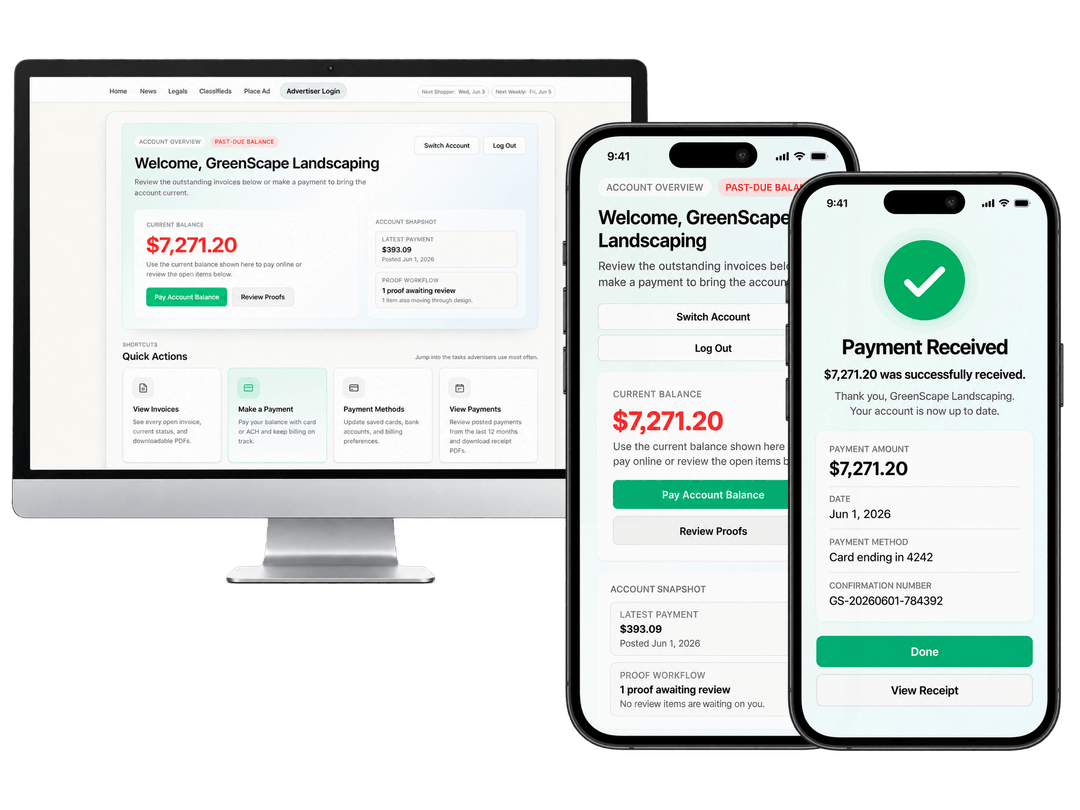
The advertiser lands on their own account, sees that a proof is waiting, and responds there. Nothing depends on an attachment being found, or on a reply reaching the right person on a Friday afternoon.
- Proofs waiting on the advertiser are counted on the account, not chased by phone
- The response attaches to the ad, where the rep, the designer, and production see it
- The same place they review invoices and pay, so there is one destination to learn
WHAT CHANGES
The approval becomes a record instead of a memory.
- Proofs go out from the system, not from a personal inbox
- Approvals and change requests are recorded against the ad and the order
- Anyone can see which proofs are still outstanding as deadline approaches
- Revisions are versioned, so the approved proof is unambiguous
- Disputes are settled by looking at the record instead of arguing about email
HOW IT WORKS
From finished artwork to a signed-off ad.
Every step attaches to the order, so the approval outlives the inbox it would otherwise have lived in.
- 1
The proof leaves the system
When the artwork is ready, the advertiser gets a proof tied to the actual order — not an attachment someone remembered to send from their own mailbox.
- 2
The advertiser responds in one place
Approve, or ask for changes. Their response attaches to the ad, where the rep, the designer, and production can all see it.
- 3
Revisions stay in sequence
Each round is a version. There is no confusion about whether the client approved round one or round three, because the record shows which.
- 4
Outstanding proofs are visible
Before press, production can see exactly which ads are still waiting on a client and who needs a phone call — instead of reconstructing that list from memory.
- 5
The record persists
Six weeks later, when someone says they never approved it, the approval and its timestamp are on the order.
PROOF
Before the artwork ever reaches approval, the surrounding workflow is already saving time — one weekly paper cut a single issue's ad and page work from nine hours to five and a half using the Fake Brains production tools.
The figure is from the published PageScout case study; the publication asked to stay anonymous. Proofing sits inside that same production workflow, between the design queue and pagination.
- 9 → 5.5 hrs
- Ad and page work for a single issue, before and after.
- 8 modules
- Connected modules sharing one database, so an approval is visible everywhere it matters.
WHERE IT CONNECTS
Approval sits between design and the page.
Ad design workflow
The designer queue the proof comes out of, and where change requests go back to.
ExploreAd dummying and pagination
Only approved ads should reach the page. Pagination reads the same order.
ExploreSelf-service advertiser portal
Give the client a permanent place to review their creative and their account.
ExploreCOMMON QUESTIONS
Questions publishers ask about ad proofing.
The rest of the workflow
See It In Action
Tell us about the last make-good you paid for
Most publishers can name it immediately. We will show you where the approval trail would have caught it.