FOR PRODUCTION
See what is sold, what is due, and what is ready.
AccountScout helps production teams keep ad work moving from order to proof to approved creative to page-ready handoff without rebuilding the same details in another system.
Works in
AccountScout
The problem
Production slows down when the order and the work live apart.
Production has to chase sales or CSR teams for specs, assets, and copy notes.
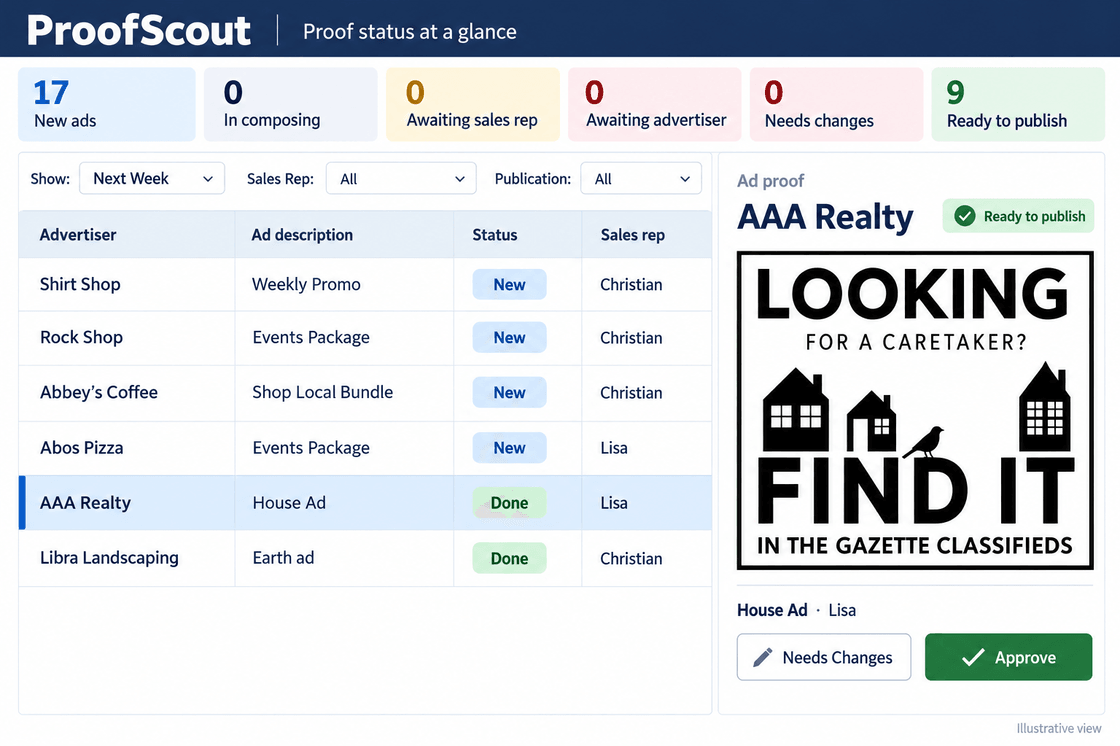
Proof status lives in email threads instead of a clear queue.
Deadline pressure rises because nobody can see what is stuck.
WHAT DEADLINE NIGHT LOOKS LIKE
The issue, built from the ads that were actually sold.
Every booked ad on the real issue date, positioned on a page, with what is still unplaced and what is missing copy counted at the top. The question "what is stuck" stops being a walk around the building.
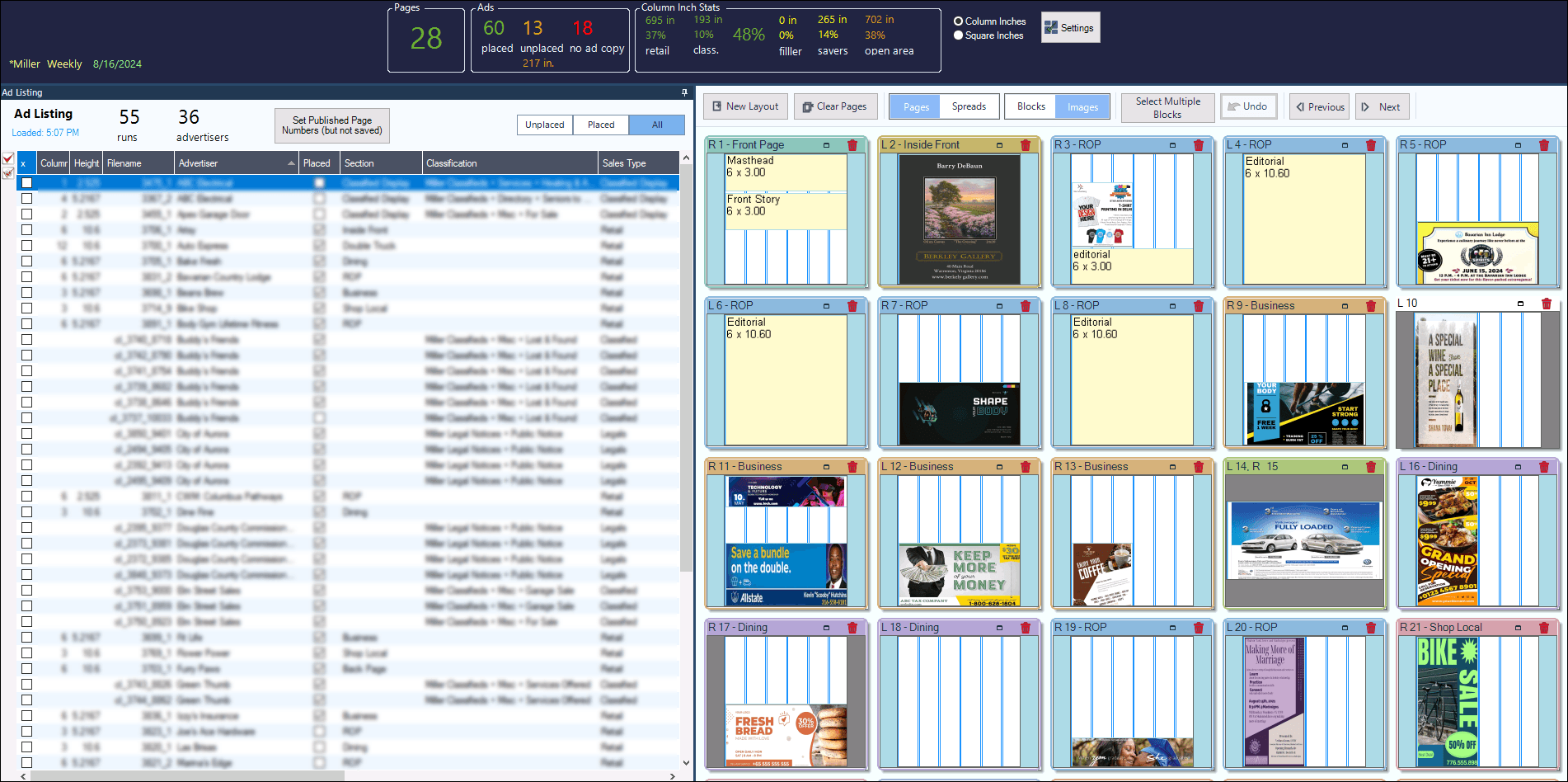
- Placed, unplaced, and no-copy counts beside column-inch statistics
- Ads listed by advertiser, section, and classification, straight off the orders
- Page thumbnails showing where each booked ad has landed
What production teams get back.
One queue of ads with status, specs, notes, and advertiser context
ProofScout approvals tracked from request to response
AdScout, PageScout, and DAM connected to the production path
Where production fits in the AccountScout workflow.
- 1
Order
Start from the same order data sales and ad entry created.
- 2
Proof
Route creative through proofing with clear status.
- 3
Publish
Move approved ads toward layout, export, and deadline.
- 4
Invoice
Keep production and billing tied to the same order record.
Related products
These are the parts of the Fake Brains suite this role usually touches first.
See It In Action
Walk through your production queue.
We can show how AccountScout carries ad details from order entry into ProofScout, AdScout, PageScout, DAM, and billing.